Test results and notes on one body map
HealthOSin use: I use it myselfin use
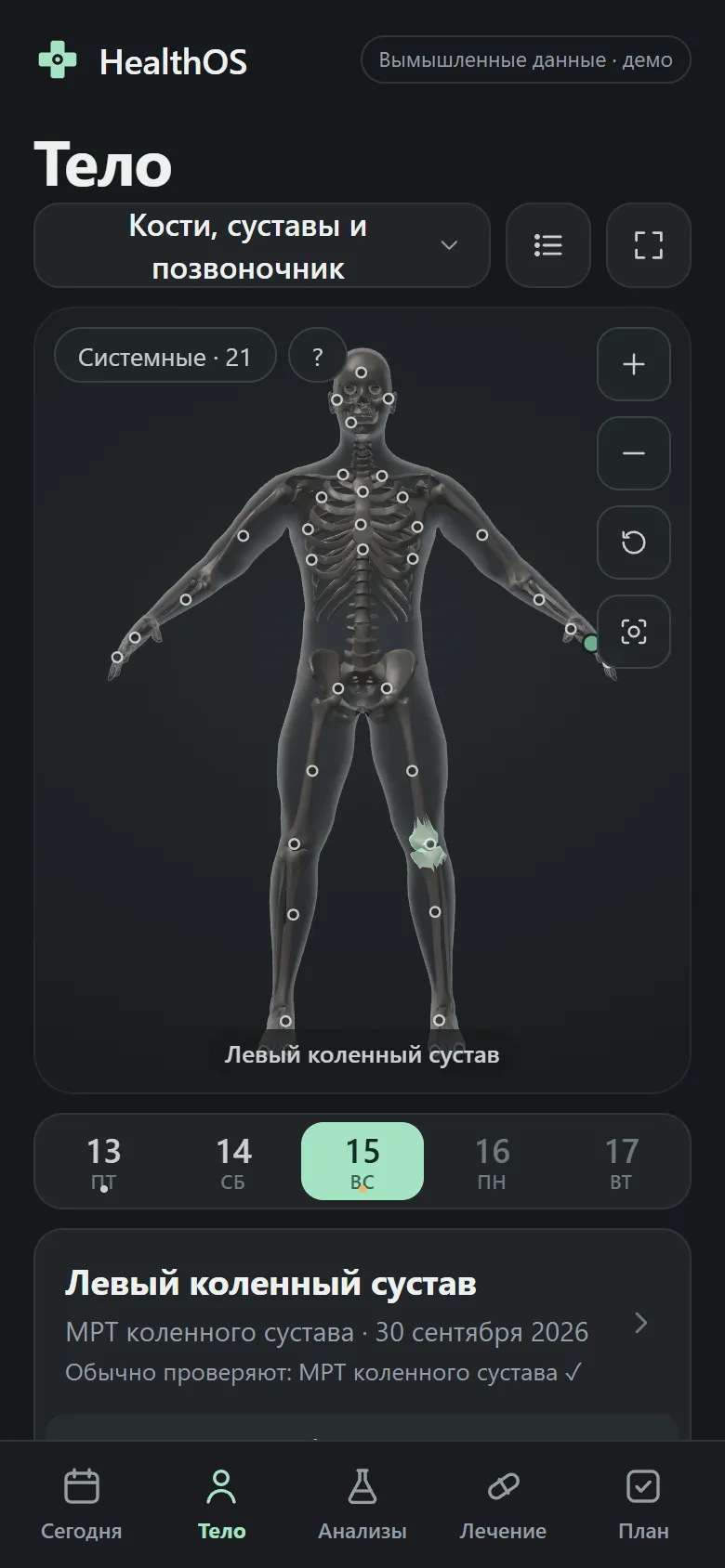
A personal health agent: notes are pinned to zones on a 3D body map, test results to organs, and a summary is put together before a doctor’s visit.
The demo is taking a while to load. Open in a new tab
3D models: MakeHuman (CC0 1.0), BodyParts3D © DBCLS (CC BY 4.0), Z-Anatomy – Lluís Vinent and contributors (CC BY-SA 4.0). Models modified: simplified and fitted to the body. Sources and licences
The problem
Test results arrive as forms from different labs; notes and scans sit on your phone. To see how a marker has changed, you have to piece it all together by hand.
A new doctor has to go through a stack of test results and match them against each other to understand what is going on. Before an appointment, the history is pieced together again, from memory.
Why I built it
I built it for myself: so that at an appointment I don’t retell the history from memory but show the doctor what matters – by date and by filter – and can see how the markers change over time.
Who it’s for
-
Someone who has regular tests
Pain: Forms from different labs; trends tracked by hand
Gets: Every marker on a chart, with related ones alongside
-
Someone about to see a doctor
Pain: A new doctor has to sort through and match a stack of test results
Gets: What matters is shown by date and filter; the visit summary is ready in advance
-
Someone protective of their data
Pain: Medical records sit in someone else’s cloud service
Gets: Records are encrypted and open only for the owner
How it works
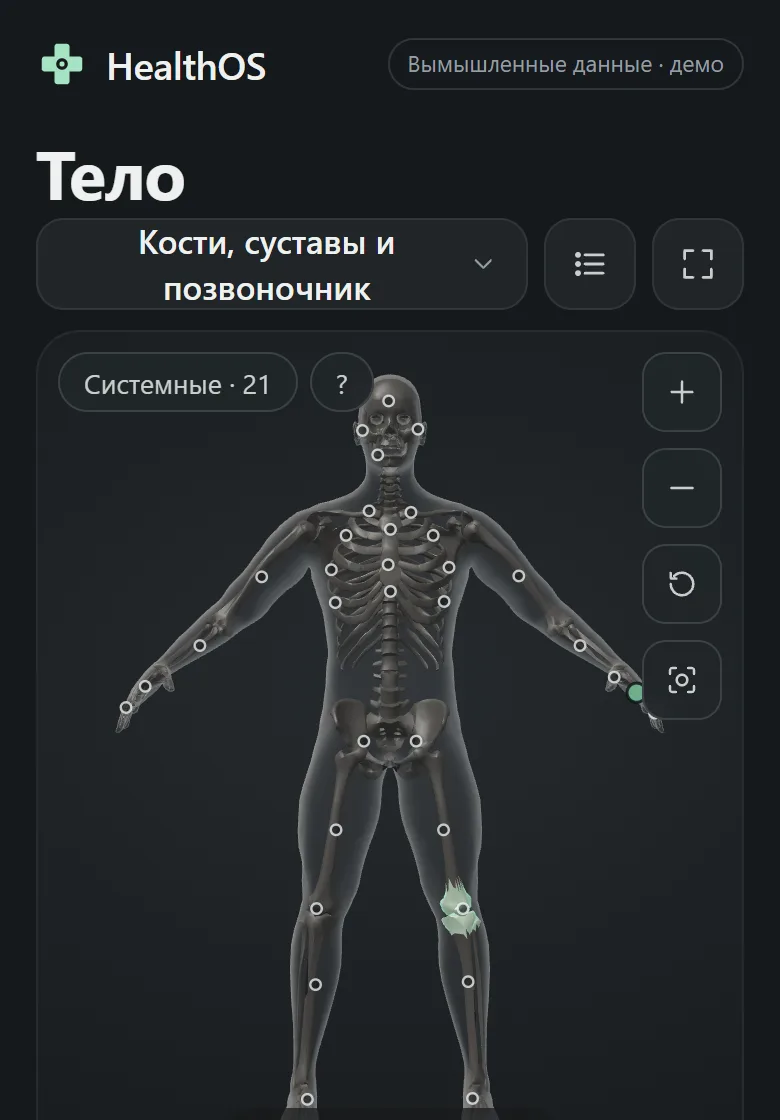
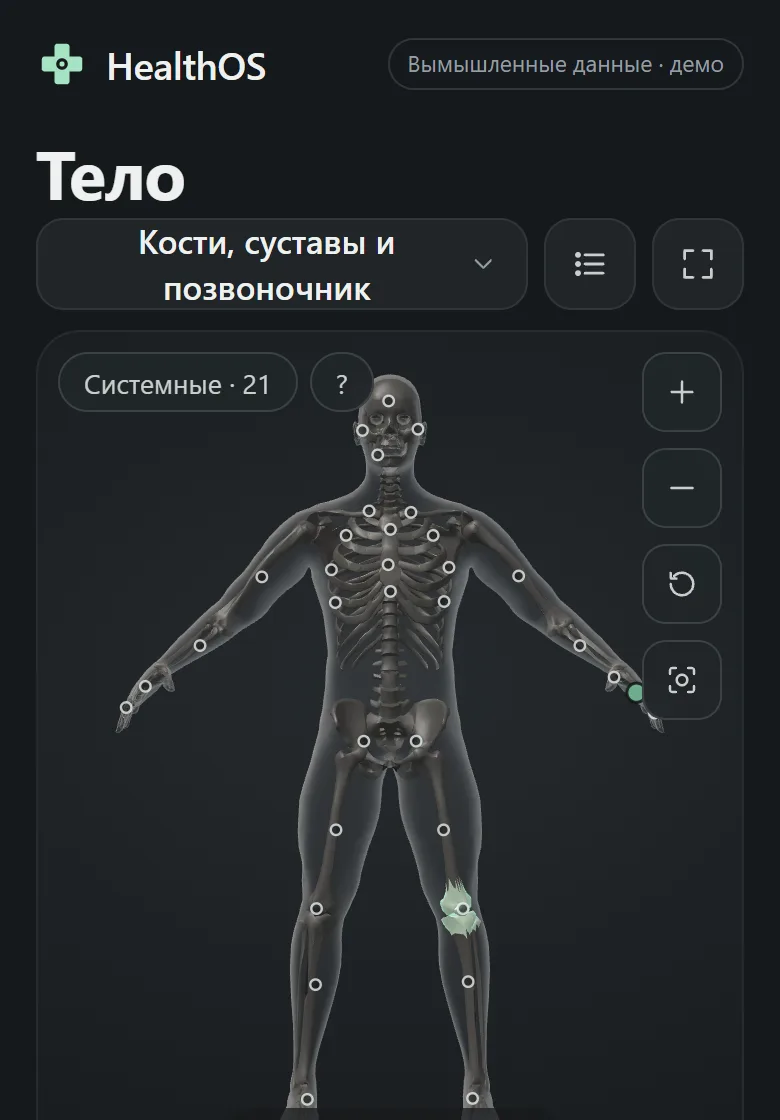
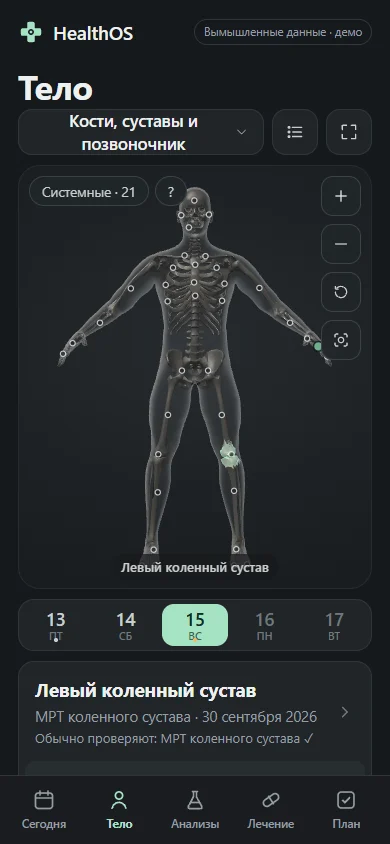
The 3D model can be rotated and zoomed with your fingers. Tapping a zone shows every note for it.
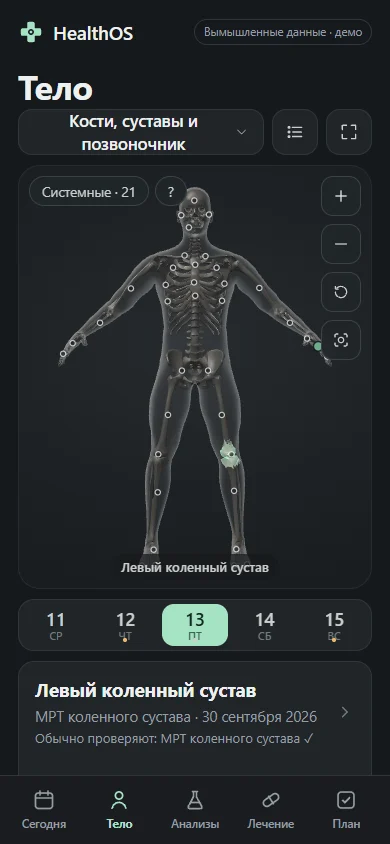
A date strip and a calendar with markers: you can see what was recorded on any given day.
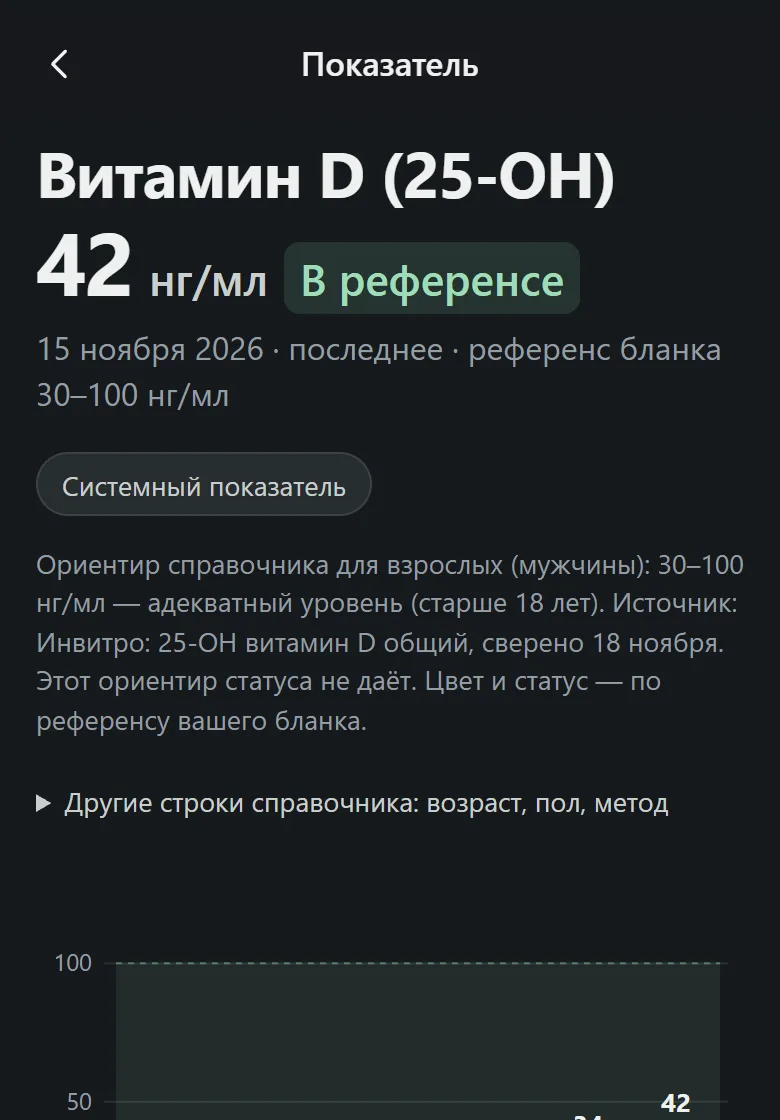
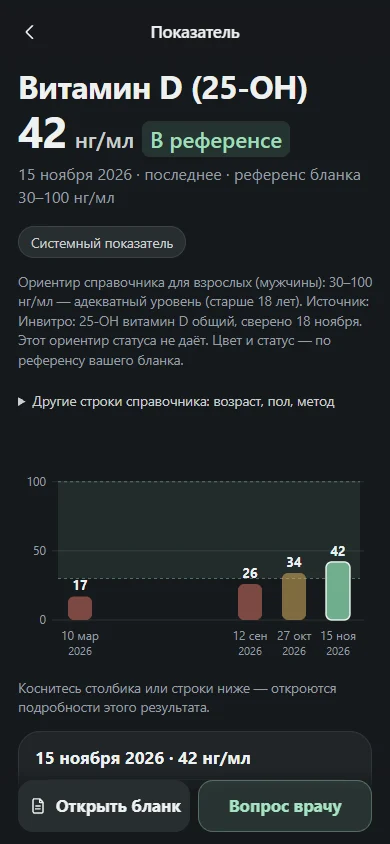
Results are plotted on a chart, next to related markers that are usually read together. Results tables are uploaded in full.
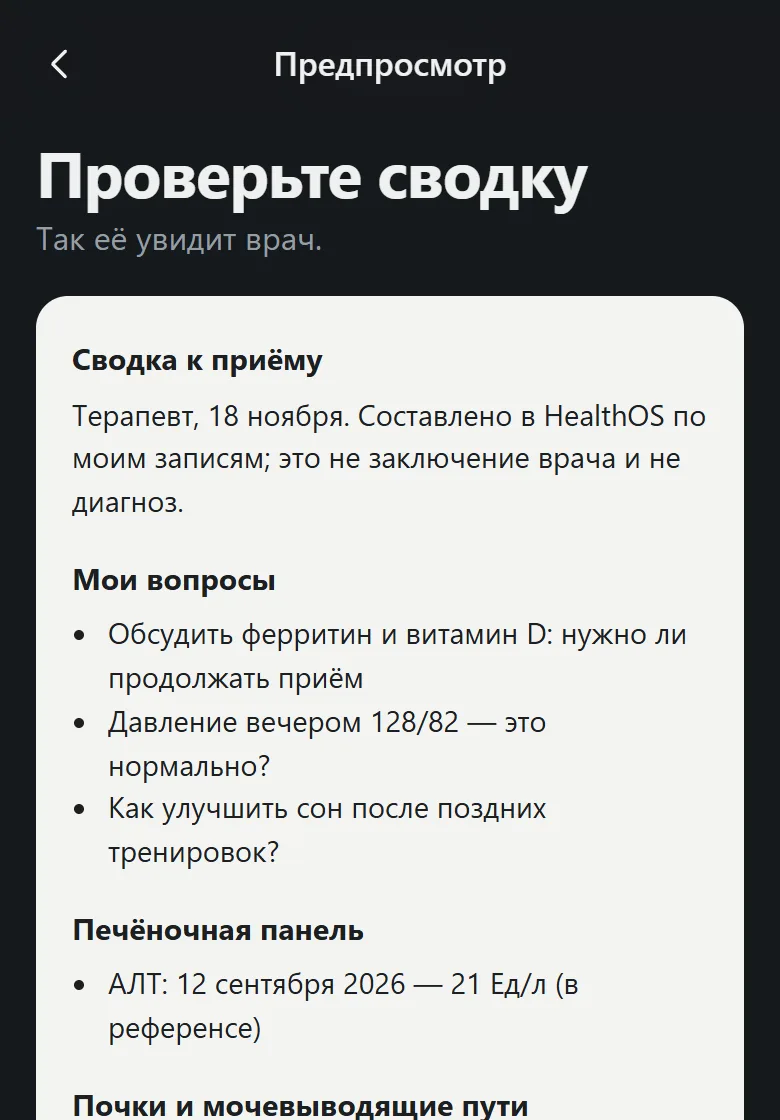
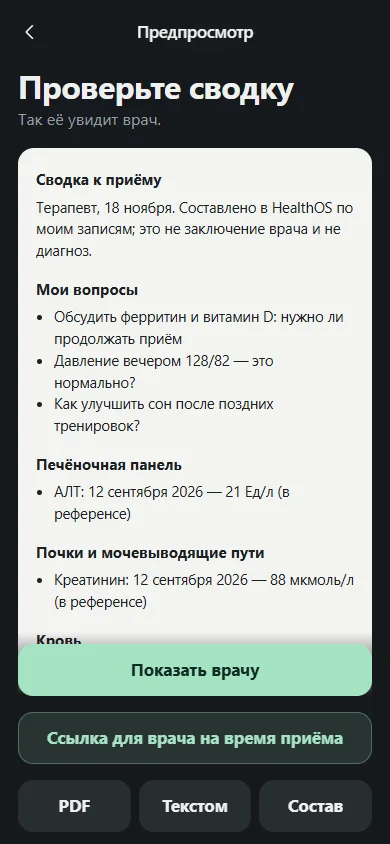
Choose the purpose of the visit and what to include, preview it and save the file. Personal photos are off by default.
Real records are stored encrypted and open only in the owner’s browser after sign-in. The demo runs on made-up data.
- 1
Body map
The 3D model can be rotated and zoomed with your fingers. Tapping a zone shows every note for it.
- 2
A day in the calendar
A date strip and a calendar with markers: you can see what was recorded on any given day.
- 3
Results on a chart
Results are plotted on a chart, next to related markers that are usually read together. Results tables are uploaded in full.
- 4
Summary for the doctor
Choose the purpose of the visit and what to include, preview it and save the file. Personal photos are off by default.
- 5
The owner holds the key
Real records are stored encrypted and open only in the owner’s browser after sign-in. The demo runs on made-up data.
Before after
-
Before: Lab forms in a folder and in email
After: Each marker on its own chart
-
Before: The doctor goes through a stack of forms and builds the picture alone
After: What matters by date and filter – the doctor gets up to speed fast
-
Before: Medical records in someone else’s cloud service
After: Records encrypted, only the owner holds the key
Stage: in use
- idea
- prototype
- demo
- testbed
- pilot
- in use
I use it myself on my phone: I bring a doctor up to speed quickly and see how the markers change. The app makes no diagnoses and gives no treatment advice.
- The demo on this page runs on made-up data